Retention Policies
Define rules to automatically delete old package versions by package ID. Rules run daily and give you fine-grained control over what gets kept and what gets cleaned up.
How rules work
Retention is configured as an ordered list of rules. Each day, Feedz groups all packages in the repository by their ID and evaluates the rules for each group:
- The first rule whose Package ID match condition applies to the group is used.
- That rule's keep conditions are evaluated separately for release and pre-release packages.
- Any package that does not satisfy either keep condition is deleted.
- If no rule matches a package ID, all versions of that package are kept.
Rule configuration
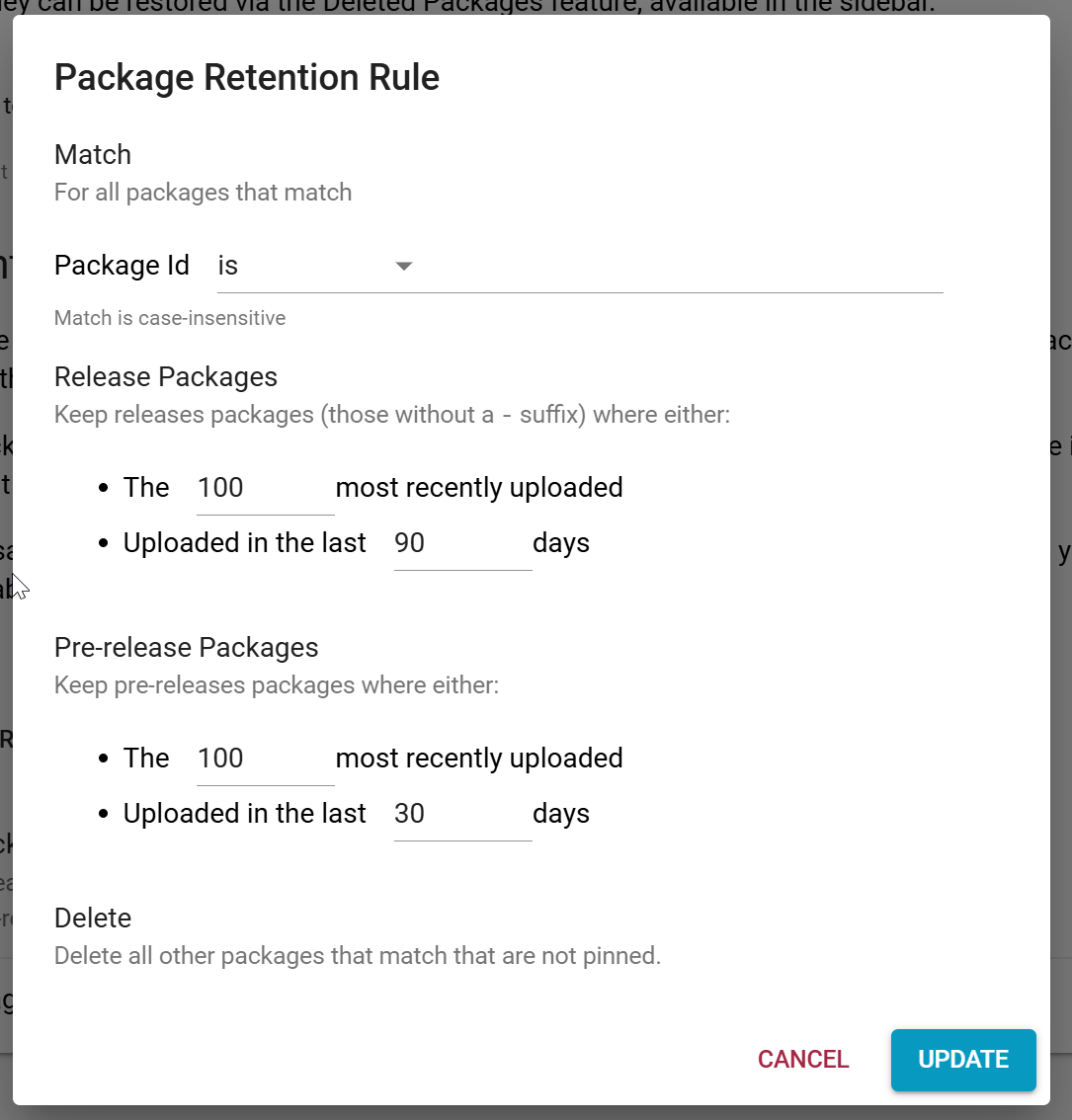
Each rule has three parts:
Match
Determines which package IDs the rule applies to. The match can be:
- Is — exact match on the package ID (case-insensitive)
- Starts with — matches any package ID beginning with the given prefix (case-insensitive)
Keep conditions
Release packages and pre-release packages are configured independently. Pre-release packages are those with a suffix after the version number (e.g. 1.0.0-beta.1). For each, a package is kept if either condition is met:
- It is among the N most recently uploaded versions
- It was uploaded in the last N days
Delete
All packages matching the rule that do not satisfy either keep condition are deleted.
Rule ordering
Rules are evaluated top to bottom. Only the first matching rule is applied to each package ID group. Use the up/down arrows in the rule list to reorder rules. More specific rules (exact ID matches) should generally be placed before broader ones (prefix matches).
Deleted package retention
Separately from retention rules, you can configure how long soft-deleted packages are held in cold storage before being permanently destroyed. By default this is set to the maximum for your plan, but it can be shortened per repository. See Package Recovery for the recovery window by plan.