Automatic Repackaging
Upload a zip or tar archive to the generic feed and have it served as a NuGet package on demand. Useful for deploying applications with tools like Octopus Deploy that expect NuGet packages.
How it works
When automatic repackaging is enabled, the NuGet feed lists all packages in the repository — including archives uploaded to the generic feed. When a NuGet client requests one of those archives, Feedz converts it to .nupkg format on the fly and caches the result for future requests.
The repackaged file structure mirrors the original archive with some additional NuGet metadata files. The output is suitable for deployment tools, but is not compatible with IDEs like Visual Studio that expect a proper NuGet library package.
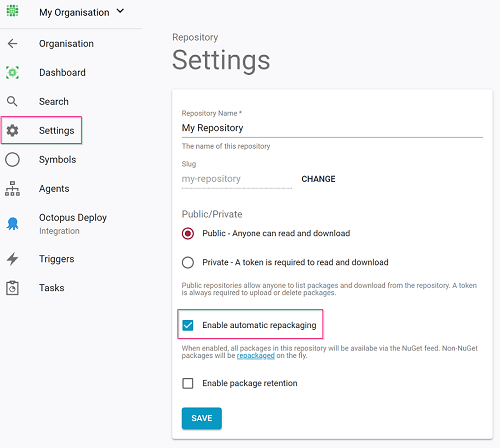
Enabling repackaging
Automatic repackaging is enabled by default on new repositories. To toggle it, open the repository, click Settings, and look for the repackaging option.
Supported archive formats
- Zip (
.zip) - Tar (
.tar) - Gzip (
.gz,.tar.gz) - Bzip2 (
.bz2,.tar.bz2)