Personal Access Tokens
Personal access tokens are used to authenticate to the API using a tool — the dotnet CLI, npm, the Feedz CLI, or any other client that needs to access your repositories. Create one in your account settings and use it as the password wherever credentials are required outside of the feedz.io web portal.
Creating a token
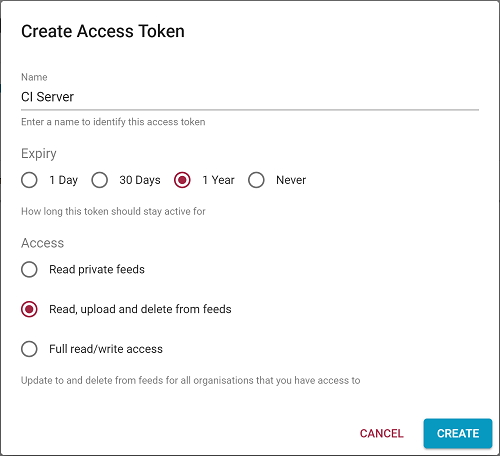
Tokens are found in the Your Account area. Click Add Token to create one. You can configure:
- Name — optional, helps identify what the token is used for
- Expiry — set an expiry date or leave it open-ended
- Access level — controls what the token can do (see below)
Access levels
| Level | What it can do | When to use it |
|---|---|---|
| Read | Download packages and restore dependencies. Cannot publish or delete. | Developer machines that only consume packages, or sharing read access with a contractor. |
| Read/Write | Download and publish packages. Cannot delete packages or change repository settings. | CI servers — dotnet CLI, npm publish, build scripts. |
| Full API access | Read, write, delete packages, and call management API endpoints. | Scripts that need to manage repository settings. |
Using a token
Use your token as the password when authenticating with NuGet clients, npm, the Feedz CLI, or the REST API. The username field is ignored by Feedz - any non-empty value works.
See the relevant format page for client-specific configuration:
Managing tokens
There is no limit on the number of tokens you can create. Tokens can be deactivated and re-activated at any time from the Your Account area. A deactivated token stops working within 15 seconds.
Feedz stores only a hash of each token - the plain-text value is never retained after creation.