Service Accounts
Service accounts are non-human identities for applications, CI/CD pipelines, and build servers. Use them instead of personal access tokens checked into source control - service accounts can be revoked without affecting any individual's access.
Creating a service account
Service accounts are created from the Service Accounts section of your organisation settings. Give the account a descriptive name that identifies its purpose, such as github-actions or teamcity-build.
Assigning teams
Like members, service accounts belong to one or more teams. Teams control which repositories the service account can access and what it can do. A dedicated team with only Manage packages on specific repositories is the recommended setup for CI/CD.
Access tokens
Service accounts cannot log in to the web portal. They authenticate via access tokens only.
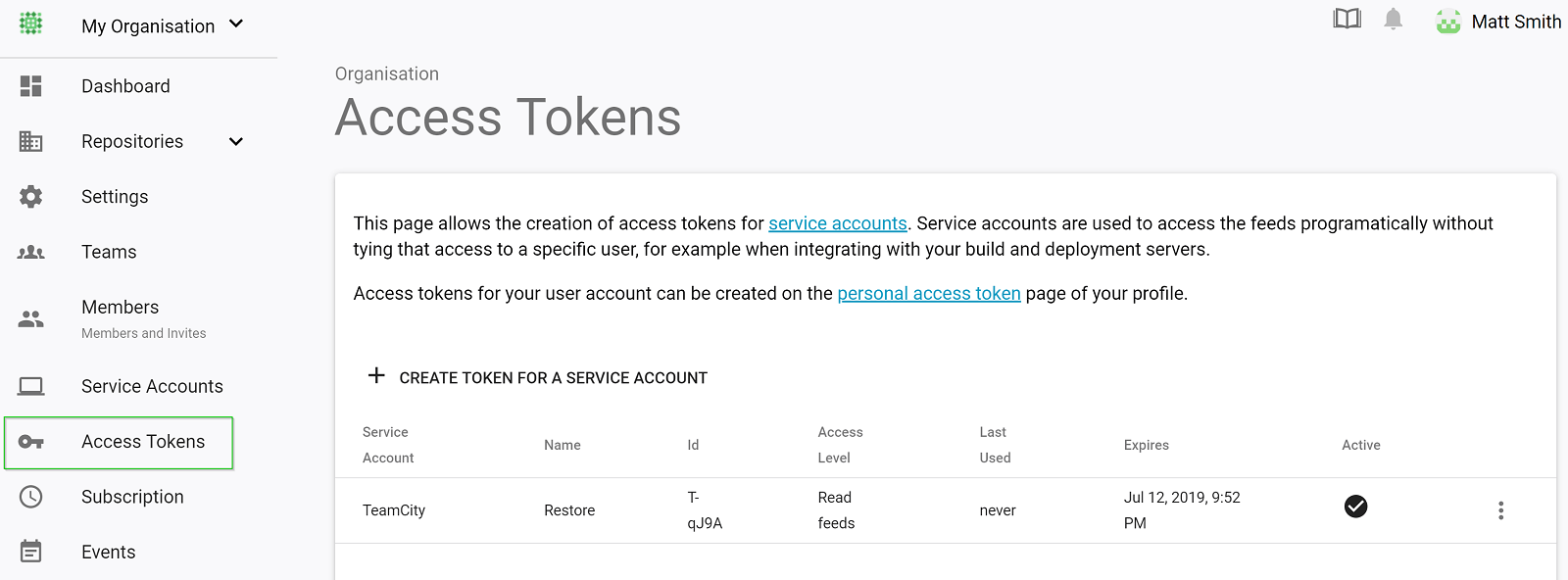
Tokens for a service account are generated from the Access Tokens section of the organisation settings. They work the same way as personal access tokens but are scoped to the organisation rather than an individual account.
Rotating tokens
To rotate a token without downtime:
- Generate a new token for the service account
- Update the token in your CI/CD secrets or environment variables
- Deactivate the old token once the new one is confirmed working
Tokens remain active for up to 15 seconds after being deactivated.